<img height="1" width="1" style="display:none" src="https://www.facebook.com/tr?id=528363495297115&amp;ev=PageView&amp;noscript=1"> Go Back Up

3D Animator Guide: What They Do, Salary, Skills & Demand

A 3D animator creates believable movement in 3D, most often by animating a rigged character or object with keyframes and sometimes by refining motion capture. If you are asking what a 3D animator is, the simplest answer is that you turn still 3D assets into clear, readable motion that supports a story, a gameplay need, or a product message.

You are likely here because you want practical clarity on what this job involves, what 3D animators earn in your market, what skills hiring teams look for, and whether this is a career path worth committing to. This guide focuses on those decisions so you can plan your learning and avoid wasting time chasing the wrong tools or building the wrong kind of reel.

Table of contents:

  1. Are 3D animators in demand?
  2. What does a 3D animator do?
  3. What tools do 3D animators use?
  4. What is a 3D animator’s salary?
  5. What skills do you need to be a 3D animator?
  6. How to become a 3D animator (including 3D animator education requirements)
  7. What is the hardest part of starting a 3D animation career?
  8. Tips for 3D animators

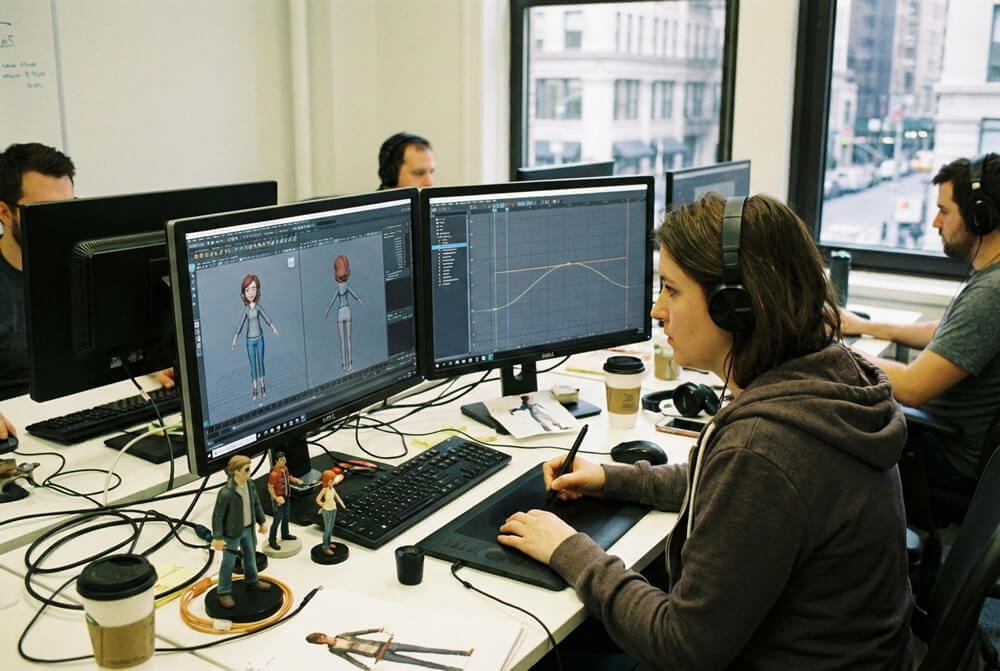
3D animator during work

Are 3D animators in demand?

Yes, 3D animators are in demand because companies keep producing content that needs high quality motion. In practice, “in demand” means you will see a steady need for animation work, but hiring is often project-based and competitive, especially at the entry level.

Demand does not always look like nonstop full-time hiring. Most studios and teams staff up when production ramps and slow hiring when a milestone ships or a project ends. As a result, you may see:

  • Job posts coming in waves tied to new projects, expansions, or production phases.
  • More contract roles in some parts of the industry, where teams hire for a specific scope and timeline.
  • Strong competition for junior roles, because many applicants target the same openings and recruiters can compare reels quickly.

If you want a practical signal of demand, watch how often roles appear across different industries, not just one niche, and how frequently studios repeat hiring for the same animation needs (for example, gameplay cycles and cinematics).

Where demand comes from

Animation work is not limited to games or film. Here are the main sources of demand you can build a direction around:

  • Games: gameplay cycles, locomotion sets, combat, cutscenes, cinematics, animation libraries for repeated moves.
  • Film, TV, VFX: character and creature shots, action sequences, performance shots, full scene work.
  • Advertising and marketing: product animation, brand spots, explainer-style videos, social content.
  • Automotive and manufacturing: visualization, simulation, internal training, product demonstration.
  • Medical: procedure explanations, training visuals, patient education.
  • Architecture and virtual production: walkthroughs, previs, real-time experiences, LED volume content.

Choosing one or two of these lanes early helps you build a reel that matches real hiring needs.

Is 3D animation a good career?

3D animation can be a good career if you enjoy iterative work, you can take feedback without getting defensive, and you like improving small details in motion over many revisions. If you need fast “finished” results and dislike critique, the day-to-day of production animation will feel frustrating.

concentrated 3d animator from Pixar

What does a 3D animator do?

A 3D animator makes characters, objects, and cameras feel alive by creating movement from a rigged 3D model, using keyframes and sometimes motion capture. If you are searching what do 3D animators do or what does a 3D animator do, the day-to-day answer is simple: you build a shot or in-game motion that reads clearly, hits the intent, and holds up in reviews.

What you usually animate

People often assume the job is only character acting. In production, you may animate many things, depending on the project:

  • Characters: acting, dialogue, combat, locomotion, reactions.
  • Creatures: quadrupeds, wings, tails, non-human body mechanics.
  • Props and vehicles: doors, weapons, tools, cars, bikes, mechanical parts.
  • Cameras: cinematic camera moves, handheld feel, framing changes.
  • Game-specific motion: UI or interactive motion, animation libraries for repeated moves, transitions between states (idle to walk, walk to run).

This range is important because your reel should match what the role needs. A gameplay animator reel and a film acting reel are not the same.

Inputs you work from

You rarely “invent the whole thing” from scratch. You usually animate from production inputs such as:

  • Script and shot intent
  • Storyboard and edit
  • Previs or postvis
  • Reference video (recorded acting or movement reference)
  • Notes from a director, animation supervisor, or lead animator

Your job is to turn those inputs into motion that works in the final context, not just in your viewport.

The core workflow in plain terms

Most animation work follows a consistent loop. You block the idea, refine the timing, then polish until it survives review.

  1. Blocking key poses.  You set the main storytelling poses and rough timing. The goal is clarity, not detail.
  2. Refine timing and spacing.  You adjust where movement accelerates and slows down so weight and intent read correctly.
  3. Polish curves and details. You clean animation curves, fix pops, refine arcs, add overlap, and tighten contacts.
  4. Preview or playblast. You output a quick review video so others can judge the motion in context.
  5. Reviews and revisions. You take notes, adjust the shot, and repeat until you get approval.

This revision loop is normal. Strong animators do not avoid notes. They get good at applying them fast without breaking the shot.

How do you collaborate with other teams

Your animation only works if it fits the pipeline, so collaboration is part of the job.

  • You coordinate with modelers and riggers to get usable rigs, controls, and deformation.
  • You work with layout and camera so staging and framing support the motion.
  • You hand off to lighting, VFX, and compositing for final rendering and integration.
  • In games, you often work with designers and programmers so animations blend correctly in-engine, trigger at the right times, and support gameplay.

A good mindset is to treat animation as one piece of a larger system. Your shot or cycle must work for the final edit, the engine, or the client brief, not just as an isolated clip.

Tools 3D animator uses

What tools do 3D animators use?

Most 3D animators focus on one primary animation software and then learn the pipeline tools around it (engine, mocap, basic editing). Studios do not expect you to know every tool, they expect you to animate well and adapt to the team’s workflow.

To help you choose without tool-hopping, here is what the common tools are for, how hard they are to pick up for animation work, and who they typically fit.

Tool

What it's mainly used for

Learning curve for animation

Best fit for

Blender

Full 3D suite, modeling to animation, strong for indie and solo workflows

Medium

You want a cost-free tool, you plan to learn broadly, you like indie pipelines

Maya

Industry-standard character animation in many film, TV, VFX, and AAA pipelines

Medium to high

You target studio character animation roles and want maximum pipeline alignment

3D Max

3D suite used in some game, design, and visualization pipelines

Medium

You see it in local studios, specific regions, or visualization-focused roles

Cinema 4D

Motion graphics and product style animation, common in advertising

Medium

You aim for advertising, brand content, motion graphics-heavy work

Unreal Engine

Real-time animation preview, sequencing, in-engine implementation for games and virtual production

Medium

You want game pipelines, real-time cinematics, virtual production workflows

MontionBuilder

Motion capture editing, retargeting, cleaning and performance tweaking

High (specialized)

You want mocap-heavy roles, you work with large mocap datasets

What matters most (so you do not feel you must learn 10 tools)

You win jobs with animation skill, not software trivia. Hiring teams can tell in seconds if your posing, timing, spacing, and polish work, regardless of the tool.

Here is the approach I recommend:

  • Pick one main animation software and commit long enough to get fluent with rigs, graph editor, constraints, IK and FK switching, and clean playblasts.
  • Get comfortable with pipeline basics, especially if you target games: importing, testing, and iterating inside Unreal Engine matters more than knowing five different DCC apps.
  • Treat specialized tools like MotionBuilder as “learn when needed.” It becomes valuable when your role touches heavy mocap editing, retargeting, or performance cleanup.

Software will come and go, but animation fundamentals stay the same. If you can consistently deliver strong posing, timing, arcs, weight, and polish, learning a new tool later becomes a manageable transition instead of something that blocks your career.

If you want a helpful “first software” decision guide, read our blog about “Blender vs Maya vs ZBrush”.

3D animator salary

What is a 3D animator’s salary?

Country

Typical average

Typical range

Source

United States

$117,805 / year

$57,295 to $242,219

Indeed

United Kingdom

£37,811 / year

£28,752 to £52,079

Glassdoor UK

Denmark

DKK 677,112 / year

DKK 474,655 to DKK 822,691

ERI

What affects a 3D animator salary

Your pay usually comes down to a few concrete variables. If you understand them, you can choose a path that increases your rate faster.

Here are the main factors to watch:

  • Seniority: junior, mid, senior pay differs because responsibility differs. Seniors own harder shots, solve problems faster, and need fewer review rounds.
  • Specialisation: roles like character acting, gameplay locomotion, technical animation, and mocap-heavy work can pay differently depending on how rare the skillset is in that market.
  • Industry: games, film/VFX, commercial, and industrial work often sit in different pay bands and have different overtime and contract patterns.
  • Location: large hubs often pay more, but cost of living and competition also rise.
    Studio size and pipeline complexity: complex pipelines usually require more experience, which pushes rates up.
  • Employment type: staff roles can offer stability and benefits, while contract or freelance can pay more per day but comes with gaps between projects.

If you want to increase salary predictably, the most reliable lever is not learning more software. It is improving shot quality and consistency so you can take on harder work with fewer revisions.

3D animator skills

What skills do you need to be a 3D animator?

To work as a 3D animator, strong animation fundamentals matter more than software knowledge. Studios hire for believable movement and clear decision-making in a shot, not for memorizing shortcuts.

Core animation skills (this is what your reel gets judged on)

These skills show up directly in the motion, so reviewers spot them quickly:

  • Posing and silhouette clarity: Create strong key poses that read in one frame, with a clear line of action and readable intent.
  • Timing and spacing: Control speed changes so actions feel natural, not floaty or robotic.
  • Weight and balance: Show gravity and momentum through clean contacts, believable shifts, and grounded footwork.
  • Arcs and motion paths: Keep hands, feet, hips, and head moving in clean arcs rather than wobbling.
  • Anticipation and follow-through: Set up actions and let energy travel through the body so motion feels connected.
  • Polish: Remove pops, reduce jitter, keep overlaps consistent, and make the motion stable at full speed.

These fundamentals apply whether the shot is dialogue, a walk cycle, a creature performance, or a vehicle move.

Acting and performance skills

Acting and performance are an important part of character animation because they make movement feel purposeful, not just correct. Recruiters look for clear intent behind the motion, especially in dialogue or reaction shots.

Start by defining what the character wants in the moment and what triggers changes in their thinking. Then build the performance around clear beats (shifts in emotion, emphasis, decisions). Keep the face and body aligned so they support the same idea rather than sending mixed signals.

A practical check is to mute the shot. The audience should still be able to read the character’s goal and emotional state from posing, timing, and body language.

Observation and reference (how you stop guessing)

Most animation improves when it’s based on real movement. Use reference footage, and when the action is specific, film yourself to capture the mechanics and the beats.

Use reference footage to:

  • Identify real weight shifts, timing, and balance changes.
  • Separate what is physically true from what is “stylized but believable.”
  • Capture specific details like hand relaxation, foot roll, and head lag.

Avoid copying reference frame-by-frame. Instead, extract the key mechanics and rebuild them with clean poses.

Technical workflow skills (software supports your animation)

You do not need to be a rigger, but you must handle rigs confidently so you can iterate fast.

You should be comfortable with:

  • IK and FK switching and matching.
  • Basic constraints and space switching.
  • Clean graph editor work, curve smoothing, and fixing gimbal-like problems.
  • Creating reliable playblasts for review.
  • Mocap cleanup and adjustment when a pipeline uses motion capture.

This is where software knowledge matters, but only as far as it helps you deliver clean animation quickly.

Soft skills that make you employable

Studios keep animators who communicate well and improve shots through feedback.

The soft skills that matter most are:

    • Taking critique and applying notes fast: Ask clarifying questions when needed, then implement changes without breaking what already works in the shot.
    • Clear communication: Share what changed, what input is needed, and what is currently blocked, using simple, specific language.
    • Iteration discipline: Version work consistently, keep edits controlled, and avoid “random tweaking” that creates new issues.
    • Reliability: Meet review deadlines, keep files organized, and deliver consistent quality.
    • Collaboration: Coordinate with rigging, layout, and lighting, and in games with design and engineering, so animation works in the final context.

If you build strong fundamentals and pair them with clean workflow and feedback handling, you cover what most hiring teams mean when they say “ready for production.”

steps to starting a 3D career

How to become a 3D animator

If you want a practical answer to how to become a 3D animator, focus on one thing first: build a demo reel that proves you can animate believable motion and take feedback. Most studios treat your reel as the main evidence of readiness, then they check whether you can work reliably in a production workflow.

A practical path that matches how studios hire

Here is the path I recommend because it maps to what recruiters actually review.

Start with the fundamentals, then add complexity in a controlled way:

  • Learn fundamentals before fancy shots. Spend serious time on timing, spacing, posing, and weight. These are the first things reviewers notice, and they cannot be hidden by camera cuts or effects.
  • Pick one main 3D animation software and stick with it long enough to become fluent. Tool-hopping slows you down because you keep restarting your workflow habits.
    Practice with exercises that build real skill, not random scenes. Good early building blocks include a walk and run, a weight shift and lift, an interaction with a prop, and one short acting shot.
  • Build a focused demo reel for the job type you want. A games reel should show clean cycles, transitions, and consistency. A film or VFX reel should show acting, body mechanics, and shot polish.
  • Set up feedback loops early. You improve faster when you get notes from animators who can point out specific issues in weight, arcs, and timing.

If you do these steps in order, you avoid the most common beginner trap: spending months on “cool ideas” that do not show hireable animation quality.

Can 3D animation be self-taught?

Yes, you can be self-taught, but only if you treat it like structured training, not casual watching.

Self-taught works when you consistently do three things:

  • Follow a structured curriculum or plan so you do not skip fundamentals
  • Practice on short exercises with clear goals and deadlines.
  • Get feedback from people who can give production-level notes, then apply those notes fast.

Without structure and feedback, most learners repeat the same mistakes and their reel stalls at an early level.

Does a 3D animator need a degree?

Often no. For many roles, studios care more about your demo reel, your ability to take critique, and your reliability than the label on your education.

That said, formal education can help when you want:

  • A clear timeline and accountability.
  • Regular instructor feedback and peer review.
  • Portfolio and reel milestones.
  • A stronger first network and potential internship access.

If you want structured guidance and a clear starting point, CADA offers 3D Animation Essentials, positioned as a beginner-friendly course to build foundational animation skills.

Use education as a shortcut to better feedback and better structure, not as a substitute for practice. No matter which route you choose, your goal stays the same: a reel that shows clean fundamentals and consistent improvement.

What is the hardest part of starting a 3D animation career?

The hardest part of starting a 3D animation career is getting your first role while still learning professional quality standards. You need a strong reel to get hired, but you often need experienced feedback to make a strong reel, so many beginners stall in the middle.

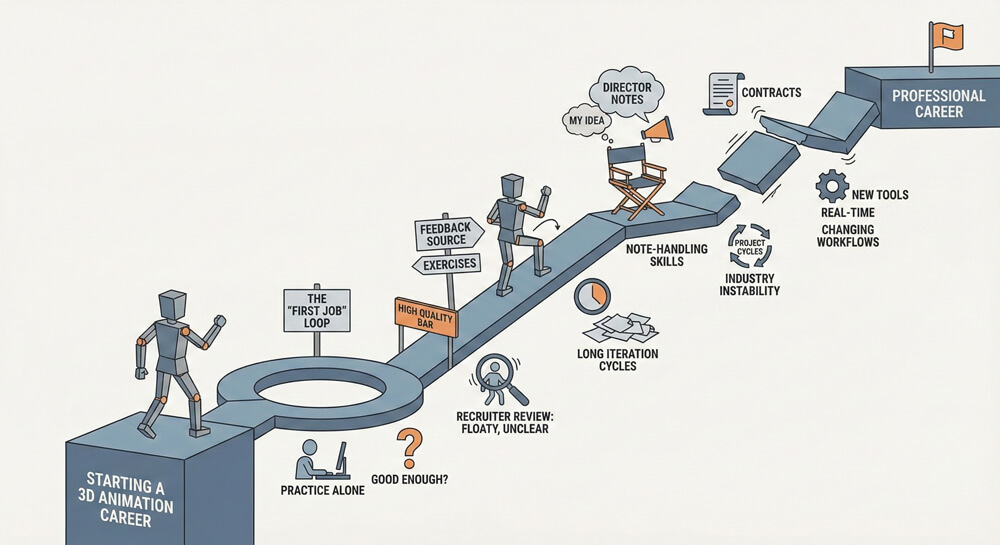
The “first job” problem

Most entry-level candidates struggle because they practice alone and do not know what “good enough” looks like in production. You can work hard and still miss the issues recruiters notice immediately, such as floaty weight, unclear posing, or inconsistent timing.

To break this loop, you need two things: a small set of exercises that target fundamentals, and a reliable feedback source that pushes you toward production-level standards.

Competition and a high quality bar

Entry-level animation roles attract applicants from everywhere, so the reel gets judged fast and without much benefit of the doubt. Recruiters usually skim for obvious production risks: movement that does not feel grounded, choices that are unclear, or polish issues that suggest the shot will fall apart under feedback and deadlines.

The problem is that beginners often do not notice these issues in their own work yet. Small mistakes that feel minor while animating can read as “not ready” when a reviewer watches at full speed. Typical red flags are sliding feet or unstable contacts, a body that stays stiff because the hips never shift weight, spacing that changes randomly so motion speeds up and slows down for no reason, and performances where the face and body do not match (either the face is pushing too hard or the body is doing nothing). Another common pattern is a shot that starts strong but loses control in the last third, where arcs get messy and the animation gets noisy.

This is why a shorter reel with a few clean, well-finished shots usually beats a longer reel with more variety but inconsistent quality.
Long iteration cycles

Animation is revision-heavy by nature. You will redo shots many times before they work. Beginners often underestimate how long it takes to fix one core issue like weight or timing because it affects the entire shot.

If you want steady progress, work in short passes: pose, timing, mechanics, polish. Do not try to “fix everything” in one go.

Switching from “my idea” to “director notes”

A common beginner problem is treating a shot like a personal project, then getting stuck when someone asks for changes. In production, the goal is not “your version,” it is the version that matches the director’s intent, the edit, and the project style. Notes are not optional, and the shot is not finished until it matches that intent.

This becomes hard because feedback can feel subjective, especially when notes are short or high-level. Progress depends on handling that ambiguity without freezing or restarting the shot from scratch. The practical skills are: asking focused questions when notes are unclear, applying changes while protecting what already works, and presenting the next version in a way that makes improvements easy to see in review.

This is why note-handling is not a soft extra. It directly affects whether shots get approved on time and whether a team can trust an animator on tighter deadlines.

Industry instability in some areas

Some parts of games and VFX rely on contracts and project cycles. That can lead to gaps between projects, changing teams, or pressure during delivery periods. This is not universal, but you should plan for it by building a network, keeping your reel updated, and budgeting conservatively if you freelance.

Keeping up with changing workflows

Tools and pipelines change, especially with real-time workflows and engine-based production. The good news is that fundamentals transfer. If your animation reads well, learning a new tool becomes a practical adjustment, not a restart.

A stable strategy is to keep your core skills sharp, then add pipeline knowledge only when it supports your target jobs.

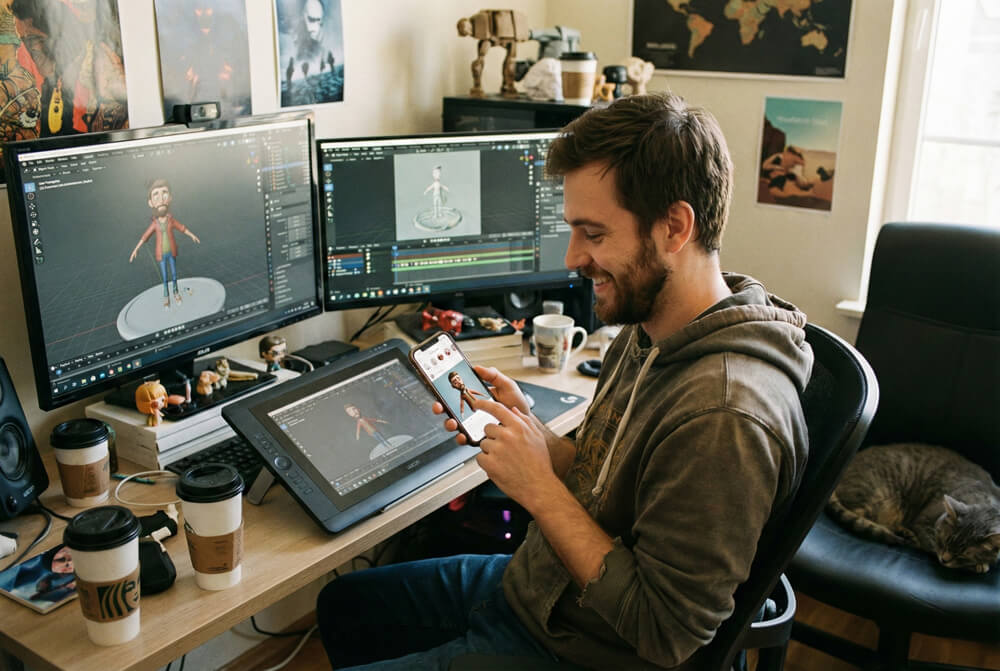
3D animator posting his work

Tips for starting a career in 3D animation

Nowadays, social media is one of the most powerful career tools available to artists. A visible online presence makes it easier for recruiters to find you, check your level quickly, and remember your name when a role opens.

A practical way to use this is to treat posting as part of your job search routine. Pick a few platforms where studios and artists actually look, then post on a schedule. Aim for once or twice a week and share the same update across multiple places such as LinkedIn, ArtStation, The Rookies, Instagram, YouTube, and relevant forums. The goal is not to go viral. The goal is to build a searchable track record of progress and finished work that supports your portfolio and demo reel.

When looking for work, staying active matters. Keep practicing and producing new shots as if it were a job. This keeps your reel improving, gives you fresh material to share, and signals reliability. It also makes it easier for a company you applied to to quickly see what level you are at, which can tip the decision toward an interview.

Once employed, posting can be less frequent, but it should not disappear completely. If a contract ends or a team downsizes, a dormant profile forces a restart. A light maintenance rhythm is enough to avoid that, even a monthly update.

The main challenge is consistency. Common obstacles are procrastination, endless tutorial watching without output, demotivation, and time sinks like gaming. A schedule helps because it turns “post when it’s perfect” into “post every Thursday.” Over time, the habit becomes the motivator, and a public timeline of work adds useful pressure to keep shipping.

Final word

If you want to grow fast as a 3D animator, make your progress measurable. Pick one target role, set a reel standard you can compare against, and work in short feedback cycles until your shots hold up next to junior hires in that lane.

The best career move you can make early is to build a repeatable process: plan with reference, block clearly, refine timing, polish with discipline, then apply notes without drama. Do that consistently, and you will not only answer “what does a 3D animator do,” you will start working like one.


CADA

Ready to Transform your Business with Little Effort Using Brightlane?